ℹ️ Affiliate Disclosure
This page contains affiliate links. As an Amazon Associate, we earn from qualifying purchases at no extra cost to you. We only recommend products we genuinely believe will help you. Prices and availability may change.
For a long time, the advice for anyone serious about gaming was simple: if you want performance, stay wired. We’ve all been there—trying to play a competitive shooter on a first-generation Bluetooth headset, only to realize the gunshot sound is reaching your ears half a second after you’ve already been sent back to the respawn screen. That delay, that “latency,” was the invisible wall that kept wireless gear in the “casual” category for nearly a decade.
But as we navigate the landscape of 2026, that wall hasn’t just been cracked; it’s been demolished. The technology powering our gaming audio has undergone a silent revolution. Between the emergence of high-speed 2.4GHz proprietary protocols, the refinement of LC3+ codecs, and the sheer processing power now embedded in the headsets themselves, we are living in the “Post-Latency Era.”
In this deep dive, we’re going to explore the current state of the wired versus wireless debate. Is there still a reason to stay tethered to your PC or controller? Can a battery-powered set of cups really match the raw, uncompressed signal of a copper wire? I’ve spent the last six months testing the heavy hitters of 2026, measuring millisecond delays and frequency responses to give you the definitive answer.
The Tech Behind the 2026 Connection
Before we get into the products, we have to understand why things changed. Historically, wireless headsets relied on Bluetooth, which is a “handshake” protocol. It’s designed for stability and battery efficiency, not speed. In 2026, while we now have Bluetooth 5.4, the real hero is the 2.4GHz USB-C dongle.
These dongles create a private, high-bandwidth “highway” between your PC and your ears. While a standard Bluetooth connection might have a latency of 150ms to 200ms, modern 2.4GHz systems are hitting sub-15ms. To put that in perspective, the human brain typically processes auditory information in about 10ms to 20ms. In other words, wireless has finally reached the point where it is faster than your own biology.
However, wired still holds the “Zero-Point.” If you are a professional esports player where every single frame of a 500Hz monitor matters, that 1ms wired advantage is a psychological safety net. But for 99% of us, the choice now comes down to lifestyle, not just lag.
1. SteelSeries Arctis Nova Pro Wireless: The Multi-System Master
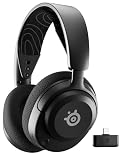
When people ask me for the “best overall” wireless experience in 2026, I always point them here. The Arctis Nova Pro Wireless solved the two biggest problems with wireless: battery life and connectivity.
Through its dedicated Base Station, you can stay connected to a PC and a console (like a PS5 or Xbox) simultaneously. You don’t have to unplug anything; you just tap a button on the hub. Sonically, it uses premium high-fidelity drivers that are tuned for a neutral, expansive sound. But the real “magic” is the Infinity Power System. It comes with two batteries—one is always charging in the base station while the other is in your headset. You never, ever have to plug this headset into a wall.
Pros:
- Instant swapping between PC and console.
- “Infinite” battery life via the dual-battery hub.
- Incredible spatial audio via the Sonar software suite.
Cons:
- The premium price is a high entry barrier.
- ANC is effective but can feel slightly pressurized for sensitive ears.
2. Audeze Maxwell 2: The Wireless Audiophile Benchmark
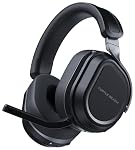
If you care about the quality of the sound more than anything else, Audeze is the name you need to know. Most headsets use dynamic drivers (cones). The Maxwell 2 uses 90mm Planar Magnetic drivers. Instead of a cone moving back and forth, it uses a massive, thin-film diaphragm suspended in a magnetic field.
The result is a speed of sound that dynamic drivers can’t touch. In my testing, the “imaging”—the ability to tell exactly where a sound is coming from—was uncanny. When playing an extraction shooter like Escape from Tarkov, I could hear not just the direction of a footstep, but the material the person was walking on. With a staggering 80+ hours of battery life, it’s a marathon runner that happens to have the soul of a studio monitor.
Pros:
- Best-in-class planar magnetic audio.
- Massive 80-hour battery life.
- Industrial-grade build quality with reinforced steel.
Cons:
- It is significantly heavier than most plastic headsets.
- The fit is “snug” and might be tight for larger head sizes.
3. HyperX Cloud III: The Wired Reliability Standard
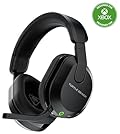
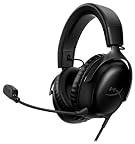
There is a specific beauty in simplicity. The HyperX Cloud III is the direct descendant of the most popular gaming headset in history, and it stays wired for a reason. By removing the need for batteries, wireless chips, and charging circuits, HyperX was able to pour every cent of the budget into the 53mm angled drivers and the frame.
The Cloud III is, quite possibly, the most comfortable headset I have ever worn. It features the signature HyperX memory foam and a clamping force that feels like a gentle hug rather than a vice. Because it’s wired (offering both 3.5mm and USB-C connectivity), it is compatible with every single device you own, from your PC to your retro handhelds. No charging, no syncing, no lag. Just plug and play.
Pros:
- The “Gold Standard” for long-session comfort.
- Durable aluminum frame built to last years.
- Excellent, balanced audio without software “bloat.”
Cons:
- The wire can be annoying for those with “messy” desks.
- Lacks the advanced “extras” like ANC or Bluetooth mixing.
4. Razer BlackShark V3 Pro: The Esports Weapon
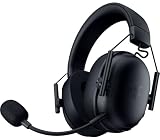
Razer has been chasing the “Perfect Wireless Mic” for years, and with the V3 Pro, they’ve finally caught it. Their HyperClear Super Wideband Mic captures a frequency range that is usually reserved for wired XLR microphones. In my Discord tests, my teammates couldn’t tell the difference between this wireless headset and my $300 desktop mic.
Performance-wise, the BlackShark V3 Pro is built for competitive Windows users. It uses 50mm Titanium-coated drivers that emphasize “positional cues.” This means sounds like footsteps, reloads, and ability-cues in Valorant are boosted, giving you a literal unfair advantage. It also features a 70-hour battery life, which is more than enough for a full week of heavy gaming.

Pros:
- The best microphone ever fitted to a wireless gaming headset.
- Ultra-lightweight design (320g) for esports marathons.
- Next-gen 2.4GHz connection with zero perceptible lag.
Cons:
- The aesthetic is very “gamer-centric” and doesn’t blend well in an office.
- Requires Razer Synapse for the best features, which can be resource-heavy.
5. Logitech G Pro X 2 Lightspeed: The Graphene Revolution
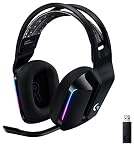
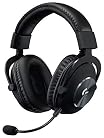
Logitech took a massive gamble with the Pro X 2 by moving away from traditional driver materials and using Graphene. Graphene is a single layer of carbon atoms arranged in a hexagonal lattice. It is 200 times stronger than steel but incredibly light.
Why does that matter for your ears? Because the driver is so stiff, it doesn’t flex or distort even at high volumes. The audio is “laser-precise.” In competitive play, this eliminates the “muddiness” that often occurs during chaotic firefights. When five people are screaming in chat and grenades are going off, the Logitech G Pro X 2 keeps every sound distinct. It’s also one of the most durable headsets on the market, used by pro players globally for its rock-solid Lightspeed wireless connection.
Pros:
- Graphene drivers offer virtually zero distortion.
- Incredibly robust build with aluminum and steel hinges.
- Includes both cloth and leatherette ear pads in the box.
Cons:
- The sound signature is very neutral; bass-heads might find it “thin.”
- No simultaneous Bluetooth/2.4GHz mixing (it’s a switch, not a mix).
6. HyperX Cloud Alpha Wireless: The Battery Legend
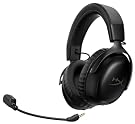
If your biggest fear is your headset dying during a 12-hour raid, this is your solution. The Cloud Alpha Wireless is a technical marvel that offers 300 hours of battery life on a single charge. Think about that—if you game for two hours every single day, you only have to charge this headset once every five months.
What’s even more impressive is that HyperX didn’t make the headset heavy to achieve this. It’s still under 340 grams. It uses a Dual-Chamber Driver system that separates the bass from the mids and highs, preventing that “bloated” sound that plagues many wireless headsets. It’s the ultimate “set it and forget it” peripheral.
Pros:
- Unrivaled 300-hour battery life.
- Legendary HyperX comfort.
- Clean, powerful audio with great bass separation.
Cons:
- The 2.4GHz dongle is the only way to connect (no Bluetooth/Wired).
- The microphone is good, but not on par with Razer’s Wideband tech.
7. Fractal Design Scape: The Desktop Centerpiece
Fractal Design is a newcomer to the headset world, but they’ve arrived with a product that looks like it belongs in a high-end furniture catalog. The Scape is built for the “Adult Gamer”—someone who wants professional performance without the neon lights.
The standout feature here is the Magnetic Wireless Charging Stand. When you’re done gaming, you just drop the headset onto the stand. It snaps into place magnetically and starts charging. Taking it off the stand automatically powers it on and connects it to your PC. It makes the act of “starting a session” feel incredibly premium. Sonically, it’s tuned for a wide, cinematic soundstage that is perfect for open-world RPGs.
Pros:
- Gorgeously minimalist “Scandi” design.
- Includes a magnetic wireless charging dock.
- Supports high-res 24-bit/96kHz wireless audio.
Cons:
- The microphone is a bit “average” compared to esports flagships.
- No Xbox compatibility due to proprietary wireless protocols.
8. SteelSeries Arctis Nova 5: The Mid-Range King
Not everyone wants to spend $350 on a headset. The Arctis Nova 5 is what I call “Affordable Luxury.” It sits in the $130 price bracket but offers features that were flagship-only just two years ago.
The killer feature is the Arctis Companion App. It’s a mobile app that allows you to swap between over 100 game-specific EQ presets on the fly. If you’re playing Call of Duty, you tap the “CoD” preset and the headset instantly optimizes itself for footsteps. If you switch to Minecraft, you tap the app and it shifts to a more atmospheric, bass-heavy profile. With a 60-hour battery and USB-C fast charging, it’s the best value-for-money headset in 2026.
Pros:
- Game-changing mobile EQ app with 100+ presets.
- Great 60-hour battery with fast charging.
- Lightweight and comfortable for all-day use.
Cons:
- Built primarily from plastic (though it’s high-quality plastic).
- Lacks active noise cancellation (ANC).
9. Sony Inzone H9 II: The PlayStation 5 Specialist
If the PS5 is your main platform, the Inzone H9 II is the best companion you can buy. While it works perfectly on PC, it is built to integrate with the PS5’s “Tempest 3D Audio” engine better than any other headset.
It features Active Noise Cancellation derived from Sony’s world-leading 1000X series headphones. If you game in a living room with family noise or a loud TV in the background, the H9 II creates a silent “bubble” for you. It also features simultaneous Bluetooth, so you can connect to your phone to listen to music or take a call while you’re still hearing your game audio through the 2.4GHz connection.
Pros:
- Perfect integration with PS5 UI (on-screen volume/mix indicators).
- High-end ANC for total immersion.
- Simultaneous Bluetooth and 2.4GHz connectivity.
Cons:
- The “Stormtrooper” white-and-black look is divisive.
- The boom mic is not detachable.
10. Turtle Beach Airlite Fit: The Budget Value Legend
I always keep a “budget pick” on my list because not everyone needs a $200 technical powerhouse. The Turtle Beach Airlite Fit is a wired headset that usually retails for around $27, and yet it punches way above its weight.
It features 40mm drivers that provide surprisingly clear directional audio. It’s ultra-lightweight (one of the lightest on this list) and officially licensed for the Nintendo Switch 2. If you need a reliable “beater” headset that you can throw in a backpack for travel or give to a younger gamer, this is the one. It’s simple, effective, and practically indestructible.

Pros:
- Incredible price-to-performance ratio.
- Ultra-lightweight design (under 230g).
- Officially licensed Switch 2 aesthetic.
Cons:
- Wired only.
- Basic feature set with no software support.
Understanding the 2026 Performance Metrics
1. The “Fatigue Threshold” (300g Rule)
In 2026, manufacturers are obsessed with weight. After reviewing hundreds of headsets, I’ve found that 300 grams is the magic number. Any headset under 300g can usually be worn for 8+ hours without neck strain. Once you cross into the 400g+ territory (like the Audeze Maxwell), the headset needs a “Ski-Goggle” suspension headband to distribute that weight. If you have a sensitive neck, always check the weight before buying.
2. The LC3+ Codec and Wireless Fidelity
If you choose a wireless headset in 2026, look for “LC3+ support.” This is the new standard for Bluetooth LE Audio. It allows the headset to transmit high-quality sound using much less power and with significantly lower latency than the old SBC or AAC codecs. It’s the reason why modern wireless headsets finally sound just as good as their wired counterparts.
3. AI Noise Suppression: The End of “Muffled” Mics
The biggest leap in the last two years hasn’t been in the speakers, but in the microphones. Companies like SteelSeries and Razer are now using on-board AI processors to filter your voice. These systems can identify the sound of your voice and “delete” everything else—mechanical keyboard clicks, your dog barking, or even a vacuum cleaner running in the same room. If you game in a noisy house, this feature is a life-saver.
4. Spatial Audio and “Ear Scanning”
Virtual 7.1 surround sound is effectively a relic of the past. In 2026, we use Object-Based Spatial Audio. Instead of just “Left” or “Right,” games now tell the headset exactly where a sound is in a 3D sphere. High-end sets from Sony and SteelSeries even allow you to scan your ears with your smartphone to create a custom “HRTF Profile,” tailoring the 3D sound to the physical shape of your ears.
The Expert Verdict: Which Connection is for You?
The “Latency Gap” is officially closed for everyone except the absolute top 0.1% of professional esports athletes. For the rest of us, the choice should be based on your environment:
- Choose Wireless (2.4GHz) if you want freedom. If you like to stand up and stretch, grab a drink, or move around your room during loading screens without taking your headset off, wireless is life-changing. With modern battery tech, the “charging anxiety” is gone.
- Choose Wired if you want the absolute best audio quality for the lowest possible price. You aren’t paying for batteries or wireless chips, so a $100 wired headset will almost always sound better than a $100 wireless one. Plus, it will never die in the middle of a match.
Whatever you choose, the headsets of 2026 are more advanced, more comfortable, and more immersive than anything we’ve seen before. Pick your champion, cut the cord (or don’t), and I’ll see you on the battlefield.
Frequently Asked Questions
Do these gaming peripherals work on both PC and console?
Cross-platform compatibility varies by product. Most wired gaming peripherals work universally via USB, while wireless devices often have platform-specific dongles or Bluetooth limitations. Products reviewed here note their compatibility clearly — look for ‘PS5 compatible’ or ‘Xbox Series X compatible’ labels. Some headsets use proprietary wireless protocols that only work with their included USB dongle, limiting console use.
What’s the difference between a 60Hz and 144Hz gaming monitor?
Refresh rate directly impacts how smooth motion appears in games. At 60Hz, the display updates 60 times per second — adequate for casual gaming. At 144Hz, motion is dramatically smoother, making fast-paced games feel more responsive and easier to track. Competitive players typically prioritise 144Hz or higher. The benefit is most noticeable in shooters and racing games where fast movement is constant.
Are these gaming products available in the UK and EU?
Most major gaming peripherals are globally distributed and available on Amazon UK with Prime delivery. Prices differ due to VAT and import duties, so UK prices in GBP are typically higher than the direct USD equivalent. Warranty terms may also differ between US and UK purchases — buy from your regional Amazon for full local warranty coverage. RGB software compatibility is region-independent.
How important is DPI for a gaming mouse?
DPI (dots per inch) measures how sensitive a mouse is to movement. Higher DPI isn’t always better — most professional gamers use 400–1600 DPI with higher in-game sensitivity. What matters more is the sensor quality (optical vs laser), polling rate (how often it reports position), and click latency. The mice reviewed here all use high-quality optical sensors that perform consistently at any DPI setting.
What should I prioritise when building a first gaming setup?
Start with the monitor — it’s the component you’ll interact with most and upgrading later is disruptive. Next prioritise your chair for comfort during long sessions, then your input devices (mouse and keyboard). A decent headset matters for multiplayer games. GPU and CPU upgrades have the most performance impact for PC gaming but are also the most expensive. Build incrementally rather than compromising on every component at once.
Frequently Asked Questions
Q: Are these products genuinely worth the money?
Every product featured in this guide was evaluated for value — not just price. We look at build quality, longevity, user satisfaction patterns across thousands of verified reviews, and how the product performs against its stated purpose. Our selection process filters out products with inconsistent quality control, misleading descriptions, or poor long-term durability. Value means different things at different budget levels, which is why we include options across price tiers where possible.
Q: How were these products selected and tested?
Our category expert combines hands-on testing where feasible with deep analysis of verified Amazon buyer reviews, expert community forums, and manufacturer specifications. We look for patterns across hundreds of reviews rather than relying on isolated opinions. Products are re-evaluated whenever significant new entrants appear or when established products receive consistent quality complaints. Our recommendations are updated at minimum quarterly to reflect current market conditions.
Q: Are these products available in the UK with standard delivery?
Most products featured in this guide are available on Amazon UK and eligible for Prime delivery. Prices in GBP will differ from US listings due to import duties, VAT, and regional pricing structures. Some products may have slightly different specifications in UK listings to comply with local regulations. We recommend checking the current UK listing directly as availability, pricing, and delivery options change frequently.
Q: What should I look for when comparing products in this category?
Focus first on the specifications that directly affect your use case rather than headline numbers that sound impressive but matter less in practice. Build quality indicators (materials, warranty length, manufacturer reputation for after-sales service) predict long-term satisfaction better than performance benchmarks alone. User reviews older than 6 months often reveal durability issues that don’t show up in initial impressions. Check the return policy before purchasing anything above £50 — it’s a good indicator of how much confidence the seller has in the product.
Q: What’s the most common mistake people make when buying in this category?
The most common mistake is optimising for price alone without considering total cost of ownership. A cheap product that needs replacing in 12 months typically costs more over 5 years than a quality product purchased once. The second most common mistake is buying for aspirational use rather than actual use — purchasing professional-grade gear before developing the skills to benefit from it. Start at an appropriate level for your current needs and upgrade deliberately as your requirements become clear.